
GPS Tracking API for Fleets in India: How It Works and How to Choose
You already have GPS trackers on your trucks, but the data often stays locked inside a separate tracking app. Fuel records sit in spreadsheets, service dates are tracked by hand, and driver details are scattered across chats and files. A GPS tracking API connects these tools. It moves vehicle location, trip, ignition and alert data into your fleet software automatically, so nobody has to copy numbers between sheets.
For businesses comparing a GPS tracking API in India, the key question is whether the provider’s vehicle tracking API can reliably integrate with fleet management, ERP, fuel and maintenance systems. Live location alone is rarely enough to improve fleet operations. This guide covers how the data moves, what AIS-140 does and does not change, and a checklist for choosing a provider. FleetOnGo works with the GPS provider you already have, and the sections below explain how.
What is a GPS tracking API?
API stands for application programming interface. Think of it as a waiter. Your fleet software places an order ("where is this truck right now?") and the API brings back the answer from your GPS provider's server.
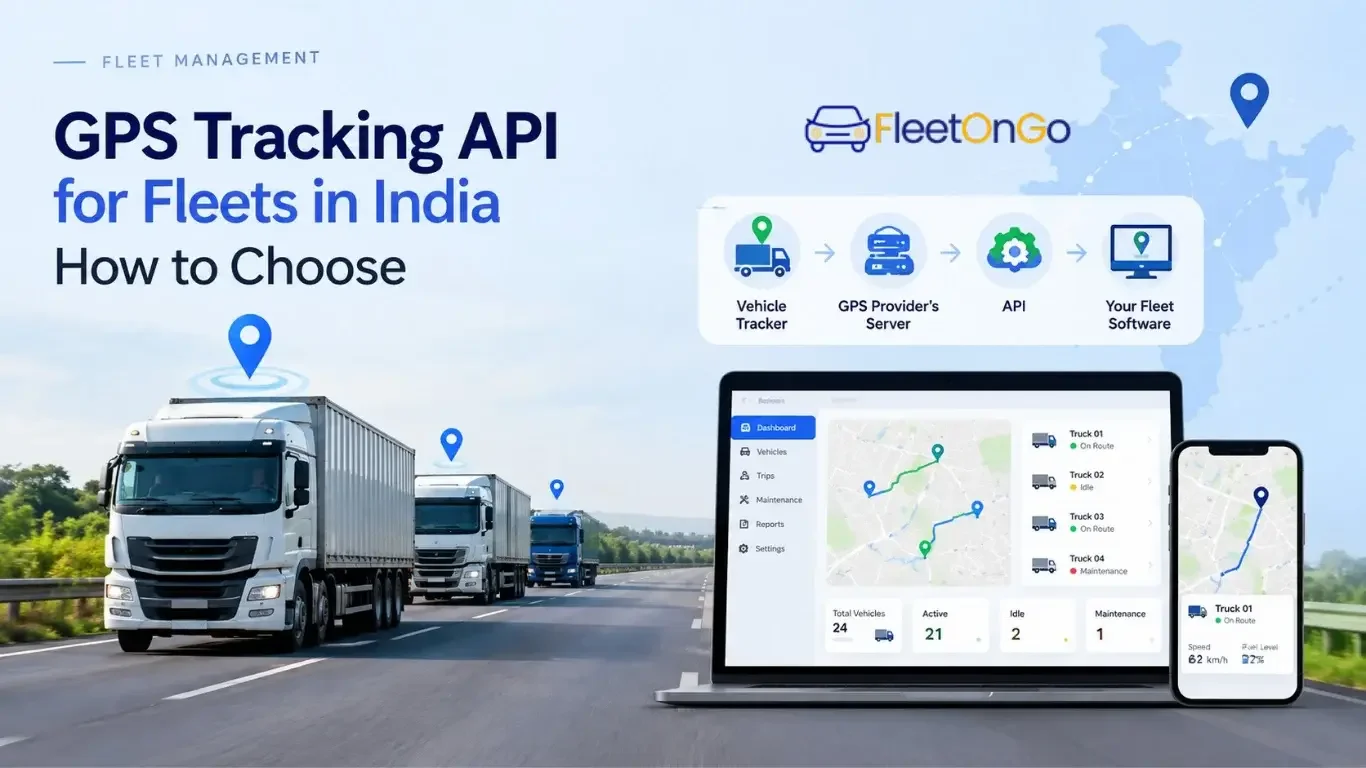
The tracker sends data to the provider's server, where it may be processed and stored. Your software then accesses the available data through the provider's API. Nobody has to log in and download a file.
GPS tracking API vs GPS tracking software
| GPS tracking software | GPS tracking API |
What it is | A ready-made app or dashboard with a map | A data link between two systems |
Who uses it | Owners and dispatchers checking live location | Fleet platforms, ERP and billing tools |
What you get | A screen to look at | Data your own software can use |
Best when | You only need to see where vehicles are | You want location data to trigger maintenance, fuel checks and reports |
Developer needed? | No | Not if your fleet platform already integrates with your provider. Custom builds usually need one |
Most fleets use both: the software for the map, the API to move the same data into the tools where the business actually runs. If you are still choosing the tracking side, see our guide to vehicle tracking software.
Do you need a GPS tracking API?
If you run five vehicles and only want to see where they are, the tracker's own app is enough. An API starts to pay off when manual work piles up. See how many of these sound familiar:
- Someone re-types kilometre readings into a sheet to schedule services.
- Fuel bills are compared with distance run by hand, once a month if at all.
- You use more than one tracking provider across your vehicles.
- Your accounts or ERP team asks for trip data that only the tracker has.
Two or more yes answers usually mean an API will save hours each week and cut copy-paste errors. The gain depends on fleet size, the software you already use and how well the integration is built.
How GPS tracking API integration works
Depending on the device and provider, the API can carry live location, speed, ignition status, idling time, distance run, fuel sensor readings (if fitted), SOS alerts and past trips. Not every tracker sends all of it, so ask what your specific model supports.
Pull vs push GPS data: APIs and webhooks
Method | How it works | Best for | Watch out for |
Pull | Your software asks the API for updates at set intervals | Dashboards and reports | Wasted requests and gaps between checks |
Push (webhooks) | The provider sends an update the moment an event happens | Alerts such as ignition, geofence and speeding | Your server must receive and verify each message |
Many setups use both. In practice, "live location" means the most recent position available from the device and provider, not necessarily the vehicle's exact position at that second. How fresh it is depends on the device's transmission interval, mobile network, provider processing time, your polling interval or webhook delivery, whether the vehicle is moving, and the device's power and firmware.
Ask how often the device can send updates and whether the rate can be configured. A logistics fleet, a school bus operator and an ambulance service need different settings, and a faster rate usually means more data and more cost.
AIS-140 GPS API: what fleet operators should know
AIS-140 sets technical and functional requirements for vehicle location tracking devices and their communication with an authorised backend system. It does not prescribe the commercial API that a private GPS provider exposes to customers. That API remains a separate integration layer, with its own endpoints, authentication, data fields, limits and support terms.
When people search for an “AIS-140 GPS API,” they often mean a provider whose compliant devices also come with a reliable, well-documented API. Two checks matter for integration:
Confirm the API returns data from the exact device you are required to use.
Ask whether switching to a certified device will break any integration you already have.
Check before you buy. Whether AIS-140 applies depends on vehicle category, permit conditions and state rules, and enforcement can vary by state. Verify current requirements with MoRTH, your state transport department or the relevant RTO before purchasing or installing devices. Useful starting points: the MoRTH list of approved VLTD manufacturers and the AIS-140 document published by MoRTH. Our fleet compliance software guide covers the paperwork side. |
How to choose a GPS tracking API provider in India
Location data shows where your vehicles are and where they will be next, so treat access to it the way you would treat access to money. HTTPS and an API key are the minimum. Use the checklist below whether you are a fleet owner talking to a vendor or a developer reading documentation. If a provider cannot answer most rows clearly, think twice before signing a long contract.
GPS fleet tracking API integration checklist
# | What to check | Ask the provider |
1 | Documentation. Endpoint reference, sample requests and responses, field definitions and a changelog. A single PDF from 2019 tells you something. | Can I read the full docs before signing? How do you announce breaking changes? |
2 | Authentication and access. API key, token or OAuth over HTTPS. Separate keys with limited permissions, such as read-only for a reporting tool. Rotation and revocation without downtime. | How are credentials issued, rotated and revoked? |
3 | Supported devices. The exact models and firmware in your vehicles, including any AIS-140 devices, and the fields each one sends. | What happens to my integration if I switch devices? |
4 | Live-location endpoint. Coordinates, speed, ignition, timestamp and heading, for one vehicle or the whole fleet in one call. | How often can updates be sent, can that be configured, and what is the typical delay? |
5 | Historical trips. How far back you can query, how trips are defined (ignition or movement) and whether bulk export is possible. | How long is history stored? What happens to my data if I end the contract? |
6 | Webhooks. Events available, signed requests or a shared secret, and retry behaviour. | What happens if my server is down when an event is sent? |
7 | Rate limits. Limits per minute and per day that suit your fleet size. A limit that works for 10 vehicles may fail at 500. | What are the limits on my plan, and can they be raised? |
8 | Error handling. Clear error codes, retry guidance and a way to mark stale data so an old position is not read as live. | How do I tell live data from stale data? Is there a status page? |
9 | Sandbox or trial. Pull data from two or three of your own vehicles for a week, including weak-network stretches such as ghats and remote highways. | Can I test on my own vehicles before committing? |
10 | Support, SLA and records. Written uptime commitment, response times by severity, phone support in India, audit logs and a data retention policy. | What uptime do you commit to in writing? How long do you keep my data? |
Questions developers should ask
Topic | Ask |
Protocol and versions | Does the API use REST, MQTT or another protocol? Are responses versioned? Is there a staging environment? |
Time and location format | Are timestamps in UTC or local time? What coordinate format is used? |
Identifiers and duplicates | Are vehicle identifiers stable? Can duplicate events occur? |
Webhooks | Are retries supported, and how many? |
Historical data | Is pagination available? Can data be filtered by vehicle, event type or time range? |
Offline devices | What happens during device offline periods? Is the last-known timestamp returned separately from the API request time? |
What can you do with connected GPS data?
A dot on a map is useful. The same data inside your fleet software does more work.
Use | What changes | Related guide |
Service on distance run | Maintenance reminders based on real kilometres, not guesswork | |
Fuel checks | Compare distance run with fuel filled; a mismatch shows where to look | |
Driver habits | Speeding and long idling in one place, plus harsh braking if the device reports it | |
Compliance | Document renewals sit next to live vehicle data | |
One dashboard | Tracking, fuel, maintenance and costs in a single view | Fleet management software |
How FleetOnGo works with your GPS provider
FleetOnGo does not sell GPS devices or run its own tracking network. GPS tracking in FleetOnGo works only through API integration with your existing GPS provider. You keep your trackers and your provider, and FleetOnGo brings that GPS data into the same workspace as your fuel records, maintenance schedules, driver information and compliance documents.
If your provider offers a compatible API, the integration cuts duplicate data entry and gives your operations team a single view of vehicle activity and costs. The same GPS tracking API integration can also feed a transport management system or your reporting tools.
Before you start, the FleetOnGo team can confirm whether your current GPS provider, device models and available data fields are compatible with the platform.
Not sure your GPS provider is compatible? Share your provider name and device model with the FleetOnGo team for an integration check. |
Common mistakes when integrating GPS data
Mistake | Why it costs you |
Choosing on price alone | A cheap device with poor documentation and weak support costs more in the long run. |
Assuming the device sends everything | No fuel sensor means no fuel data, whatever the brochure says. |
Forgetting data rights | If you cannot export or keep your history, switching vendors gets painful. Get it in writing. |
Skipping the trial | Weak-network stretches only show up on real routes. |
Ignoring refresh rate | A device or plan that updates too slowly may miss operational alerts, even when the API itself is working properly. |
The bottom line
A GPS tracker tells you where a truck is. A GPS tracking API puts that information to work in the rest of your operation. Start with two questions for your provider today: does the device data come through an API, and how often can it refresh? Clear answers mean you can connect. Vague ones tell you something before you sign a long contract.
See your GPS data next to fuel, maintenance and documents. Start your 14-day free trial or book a free FleetOnGo demo.
